Features
What you can do
Prepare software for an offline Debian or Ubuntu machine, with the packages and dependencies it needs.
Download the dependencies too
apt works out the dependencies using your target snapshot or selected baseline OS. Packages installed on the online computer won’t be skipped by mistake.
How dependencies are handledAdd vendor packages
Include package names, .deb download URLs, or local .deb files. Dependencies available from the target’s apt sources are added to the bundle.
Use vendor .deb filesPrepare updates
Add packages to an existing bundle or refresh it with newer versions. Previously downloaded files are reused from the local cache.
Update a bundleVerify before installing
Sign bundles with your own key. The offline installer checks the signature and file checksums before it installs anything.
Sign and verify bundlesBuild without a snapshot
Choose a Debian or Ubuntu baseline: release, minimal/server/desktop variant, and architecture. Start downloading on the online computer without first capturing the target.
Choose a baseline OSGuided CLI or scripts
Use debark build --interactive to answer a few questions about your target and packages. Reuse the saved package list and printed command for later builds or scripts.
Use the interactive CLI
Prefer a desktop app?
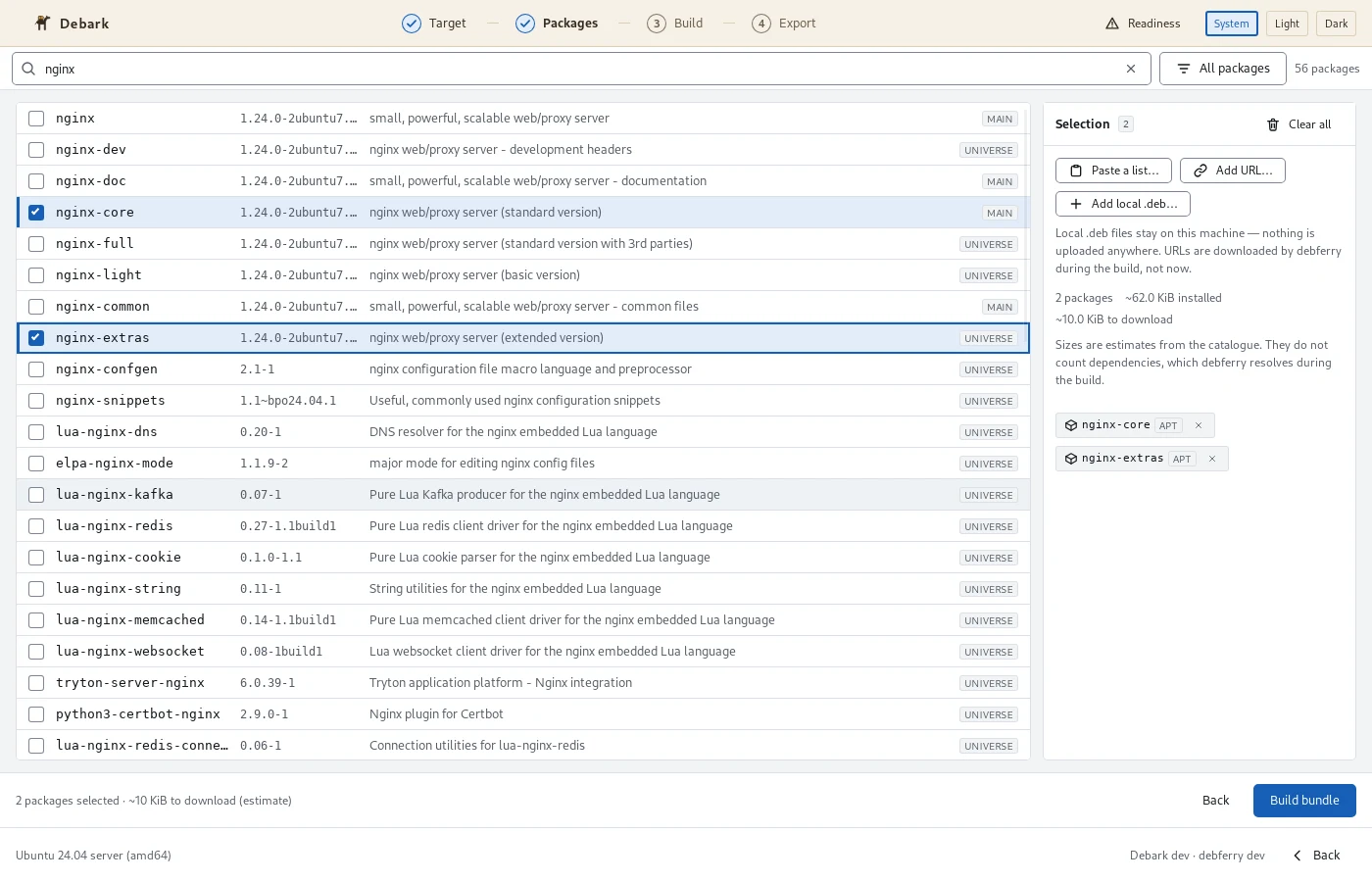
Search the package catalogue, choose your target system, and build a bundle with a few clicks.
The desktop app runs on your online Linux computer. It can use a snapshot from an existing machine or a Debian or Ubuntu baseline OS. Add local .deb files, watch the download progress, and export the finished bundle to a folder or mounted USB drive.
The CLI installs packages on the offline machine. It also captures a snapshot if you choose that starting point.
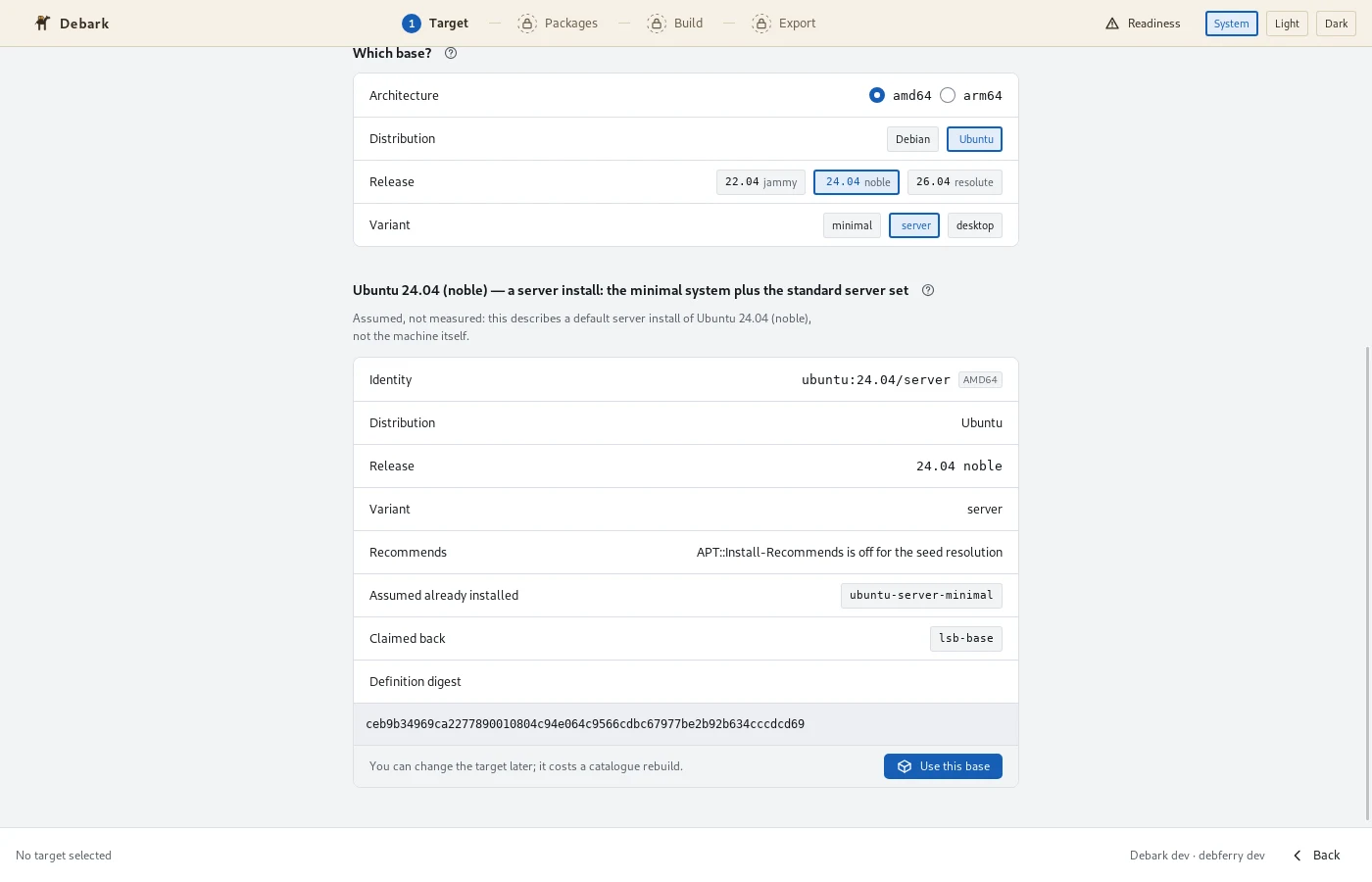
Choose a baseline in a few clicks
Select your offline machine’s system and architecture. You can start a bundle without visiting the machine to take a snapshot.
Supported systems
For your Debian and Ubuntu machines
Build bundles for these offline systems, using a snapshot or a built-in baseline OS.
Debian
1213
Minimal, server, and desktop baselines
Ubuntu
22.0424.0426.04
Minimal, server, and desktop baselines
Published Linux CLI architectures: amd64 and arm64. Scheduled integration tests cover amd64; arm64 runs are opt-in. Windows CLI downloads are also available. Linux amd64 is the supported desktop package; Windows desktop is experimental.
About package support
Debark works with Debian and Ubuntu apt packages. Snap and Flatpak apps aren’t included. Some packages also need internet access during installation; check the bundle with debark doctor before transferring it.
See platform requirements for the CLI and desktop app.