Command line
Run debark build --interactive for guided questions, or pass options directly. Save package lists and use scripts for repeat tasks.
Debian & Ubuntu · CLI & desktop app
Debark downloads Debian and Ubuntu packages, including the dependencies your offline machine needs. Use the CLI or desktop app to prepare a bundle online, then copy it over and install offline.
# 1. Install Debark
curl -fsSL https://debark.dev/install.sh | sh

# 2. Build a signed bundle
debark keygen --out operator.key
debark build --base ubuntu:24.04 --sign operator.key jq

# 3. Transfer bundle/, Debark, and operator.pub
# 1. Install the transferred Linux CLI
sudo install -m 755 debark /usr/local/bin/debark
# 2. Verify and review
debark install ./bundle --key operator.pub --status
# 3. Install offline
sudo debark install ./bundle --key operator.pub --yesHow it works
Choose a baseline OS and architecture, or capture a snapshot to use the machine’s actual installed packages and apt settings.
On a computer with internet, use the CLI or desktop app to download them and their missing dependencies.
Move the bundle over on a USB drive. The CLI checks it and installs the packages using apt.
Two ways to use it
Run debark build --interactive for guided questions, or pass options directly. Save package lists and use scripts for repeat tasks.
Browse packages, select what you need, and export a bundle to a folder or USB drive. Runs on your online Linux computer.
Get the desktop app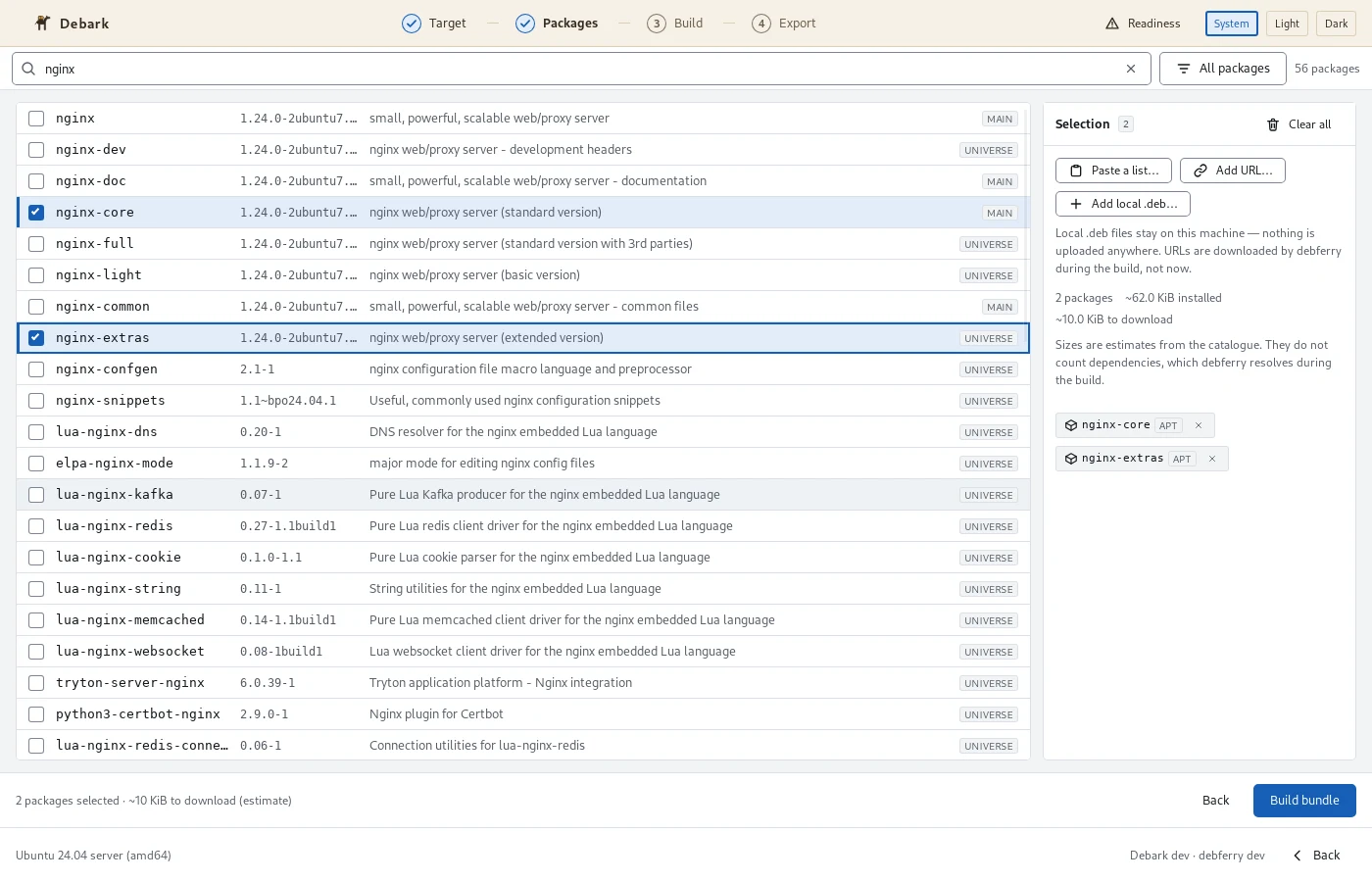
Supported systems
Build bundles for these offline systems, using a snapshot or a built-in baseline OS.
1213
Minimal, server, and desktop baselines
22.0424.0426.04
Minimal, server, and desktop baselines
Published Linux CLI architectures: amd64 and arm64. Scheduled integration tests cover amd64; arm64 runs are opt-in. Windows CLI downloads are also available. Linux amd64 is the supported desktop package; Windows desktop is experimental.
One folder to copy to your offline machine, with everything organized for apt.
The downloaded .deb files and a local apt repository, ready for offline installation.
The selected versions and target details, plus a README explaining the bundle’s contents.
Checksums to detect changed files. Add your signature when you need to verify who built the bundle.
Have an idea, found a bug, or want to improve the docs? Your contributions are welcome.